Anyone Can Do It!
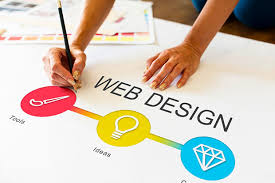
The truth is, while designing and creating your very own website for the first time may seem daunting and scary, it really isn’t all that bad. Take me, for example. I created this website to talk about the art of filmmaking, give my thoughts and opinions surrounding the world of entertainment, and provide insight into how marketing is involved.
This was my first time creating my own website tailored to what I wanted to do, and I think it came out quite nice. While yes, there are some little tweaks to be made here and there to further optimize it and make it feel nice. Once you get over the hump of where to start and understand the different tools, it becomes a breeze.
I’m going to give you some of the tips and advice I received when creating a website for the first time and hopefully make your venture slightly less difficult.
Some Helpful Tips
One of the most important pieces of advice I was given was to simply put yourselves in the perspective of a consumer or anyone else who’s gonna visit your website. You would want the website you’re visiting to be seamless, clear, and be easy to use. When designing your website, it’s important to keep in mind the functionality tends to be more important than the actual aesthetic/look of the site.
Adding on to this concept, there are other things that can be done to make the experience of clicking through your site seamless. For instance, removing any items, blocks, or images that could distract or prevent users from clicking through.
Another helpful reminder is to promote scanning when designing your website. Simply put, you don’t want just paragraphs and paragraphs of information on your home page, as this will more than likely scare users off your website due to information overload. Keeping things concise (when they need to be!) is key.
Landing Pages and More
Having a landing page that makes sense and corresponds to what you want your audience to see when they click a link is one of the most important aspects of web design. For example, if someone clicks on a link for your website titled as “Blog Page”, you wouldn’t want it to direct them to your “About Me” page. Everything just has to make sense.
In addition to making the landing page correspond with the inbound links to your website, it’s important to also follow the rule of cleanliness and to not oversaturate your landing page. Images, and especially logos are essential as this will give your website an identity. More than the images, the buttons users will be clicking, the handlebar, and the color scheme should at the very least have a commonality that will give users the sense of professionalism and uniformity.